This article describes the practice of using HTML files (rather than Markdown) as the primary artifact format when working with AI coding agents such as Claude Code. HTML offers a far richer canvas—tables, CSS, SVG diagrams, interactive controls, embedded code, and images—so the model can convey dense information that Markdown forces into ASCII diagrams and unicode guesstimates. The payoff is plans, specs, designs, reports, and custom editing interfaces that are easier to read, easier to share, interactive, and more likely to actually be read—keeping the developer engaged with the agent's choices rather than passively handing them off.
Key Points
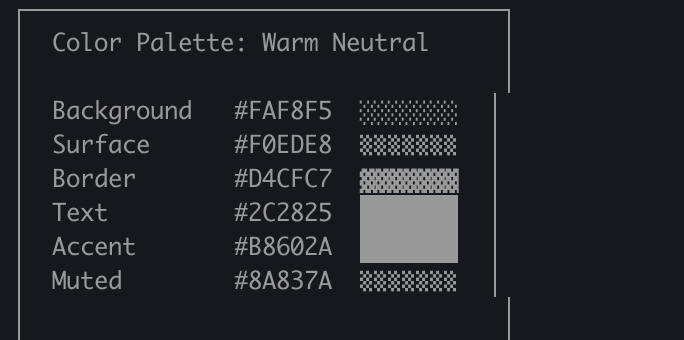
HTML can convey richer information than Markdown: tables, CSS, SVG, interactive elements, code snippets, spatial layouts, and images. In Markdown the model is limited to inefficient workarounds (ASCII diagrams, unicode color estimates).
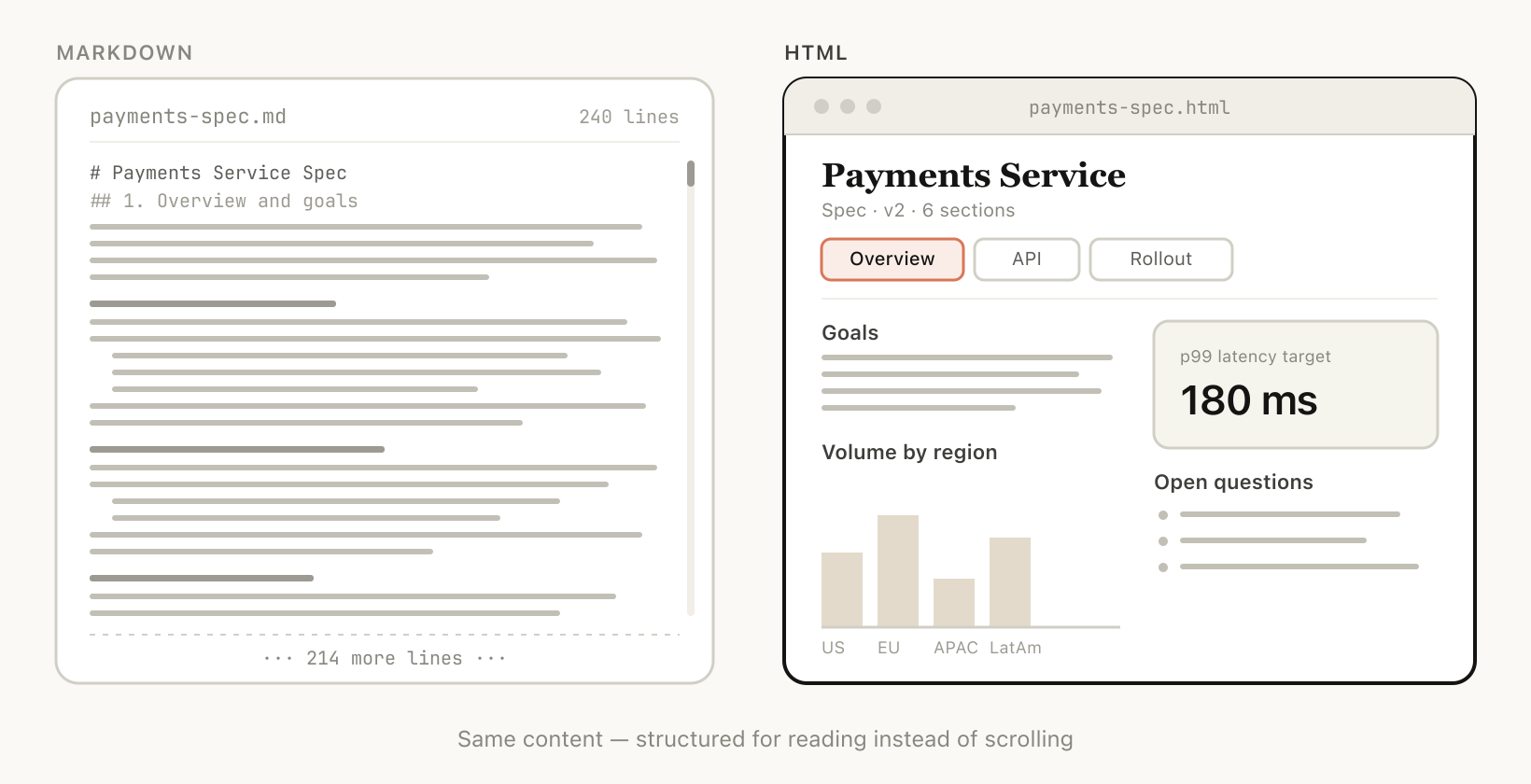
HTML documents are more visually scannable and easier to navigate (tabs, illustrations, links, responsive/mobile-friendly layouts) than long Markdown files; Markdown files over 100 lines tend not to get read—by the author or by colleagues.
Browsers don't render Markdown well; HTML files render natively and can be shared as links and opened anywhere, raising the chance a spec, report, or PR writeup is actually read.
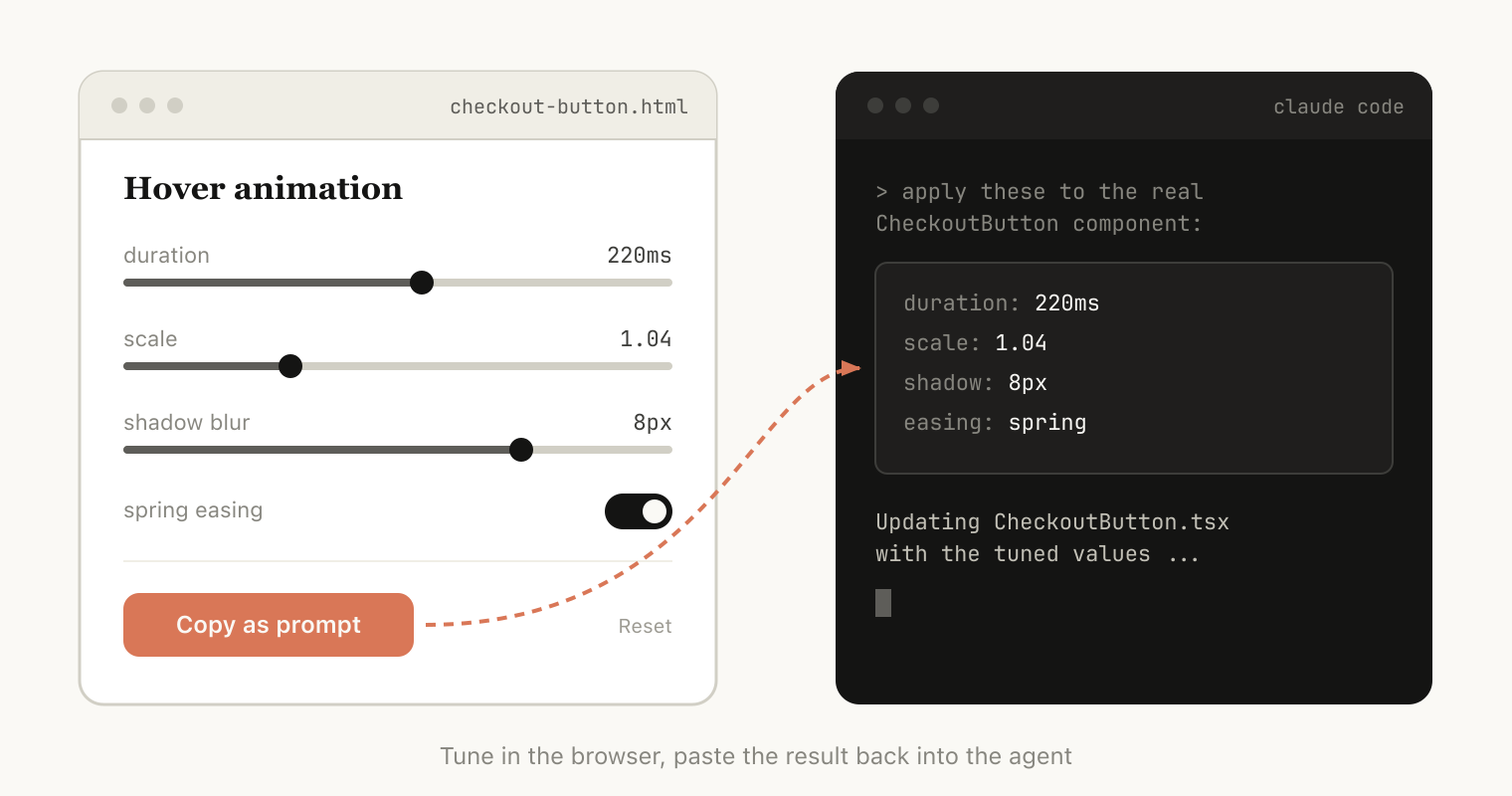
Interactive HTML (sliders, knobs, toggles, drag-and-drop) allows two-way tweaking and direct copy-back of results ("copy as prompt/JSON") into the chat, creating purpose-built editing environments.
Claude Code can ingest file system context, MCPs (Slack, Linear), web browser context (Claude in Chrome), and git history to generate rich HTML artifacts that synthesize disparate information.
No special setup is needed—simply prompt "make an HTML file" or "make an HTML artifact"; the key is knowing what the artifact should do. Recurring patterns can later be turned into a skill.
Token tradeoff accepted: HTML costs more tokens than Markdown, but the added expressiveness and higher read rate yield better overall output; with a large context window the extra tokens are barely noticeable.
Common use cases: specification and planning, code review, design prototyping, reports and explainers, and custom throwaway editors for structured data.
The real motivation is staying in the loop: HTML keeps the developer reading and reviewing the agent's plans and choices as the agent takes on more work.
Concepts
HTML as a universal canvas / HTML artifact: HTML is expressive enough to represent almost any set of information (tabular, spatial, interactive, visual) that an AI can generate and a human can review. An HTML artifact is a self-contained HTML file generated by the agent for a specific task.
Information density: HTML's ability to encode many information types that Markdown cannot.
Two-way interactions: HTML files can include interactive controls (sliders, knobs, buttons, drag-and-drop), creating a tight feedback loop with the agent.
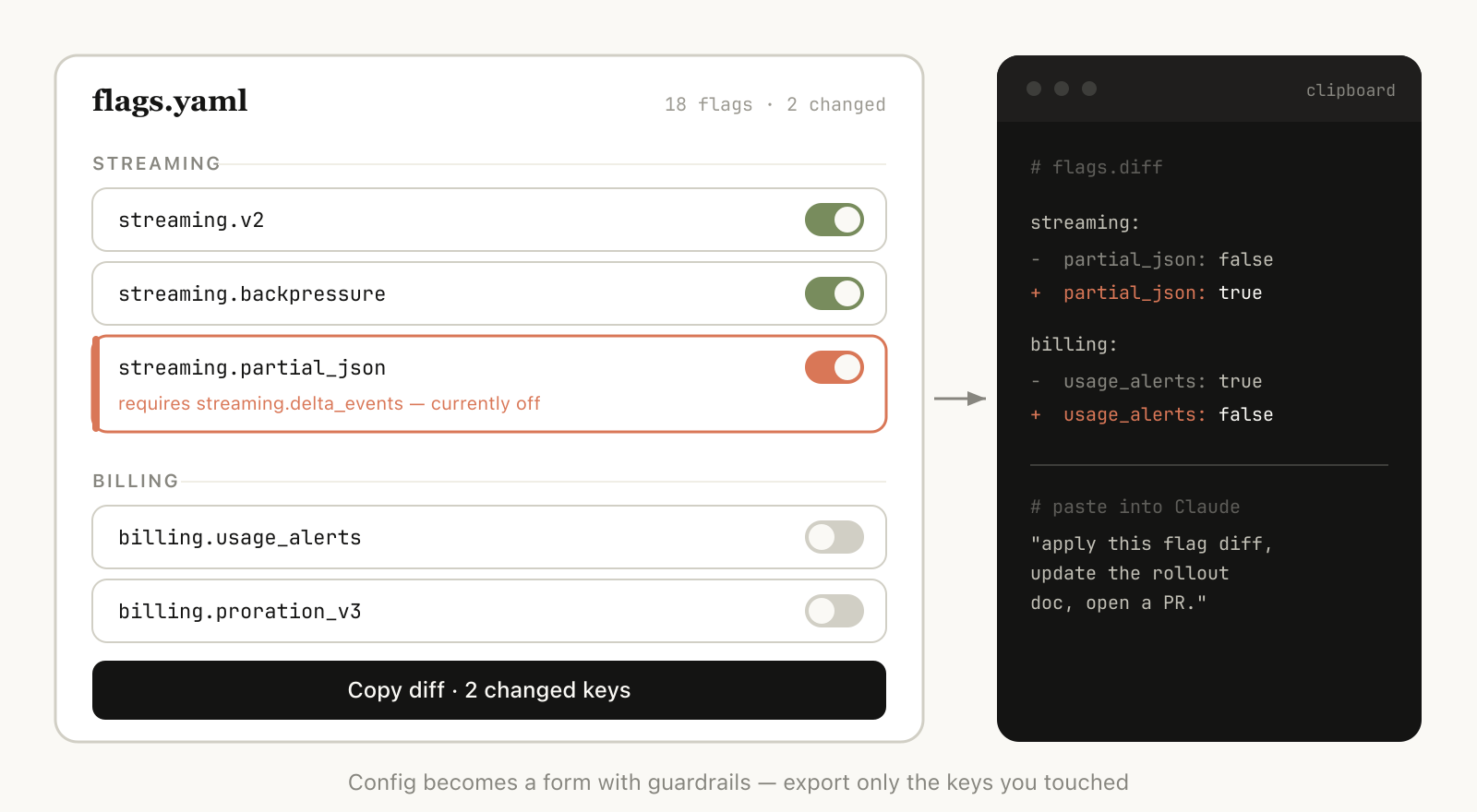
Copy-as-export: A "copy as JSON / copy as prompt / copy as Markdown / copy diff" button that returns UI edits to the agent or a file.
Data ingestion / context ingestion: Claude Code can pull context from the filesystem, MCP integrations, browser, and git history to produce HTML artifacts that synthesize disparate information.
Throwaway (purpose-built) editors: Single-purpose HTML files built for one specific piece of data—not a reusable product—such as reordering tickets, tuning prompts, or curating datasets, always with an export button.
Claude Design: Anthropic's design surface, built on HTML because HTML is expressively strong for design even when the end target is React, Swift, etc.
Details
Why HTML over Markdown?
HTML is a better fit than Markdown for complex AI-assisted work because it handles higher information density and provides visual structure that keeps human reviewers engaged. The author's argument spans several axes: information density, visual clarity, ease of sharing, two-way interaction, and data ingestion. Since nearly any information the model can read can be efficiently represented in HTML, it becomes an efficient medium both for the model to communicate and for the human to review.
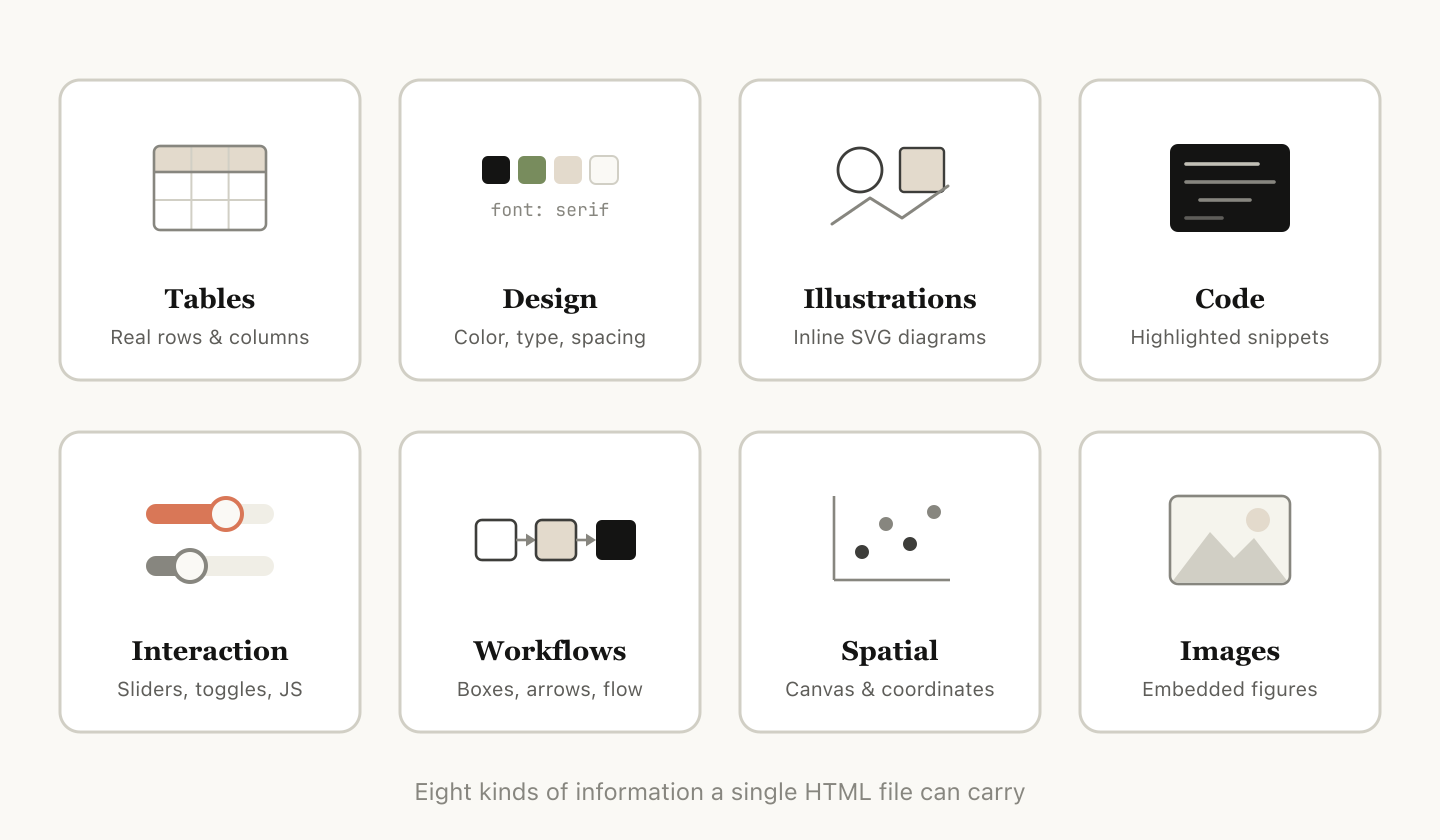
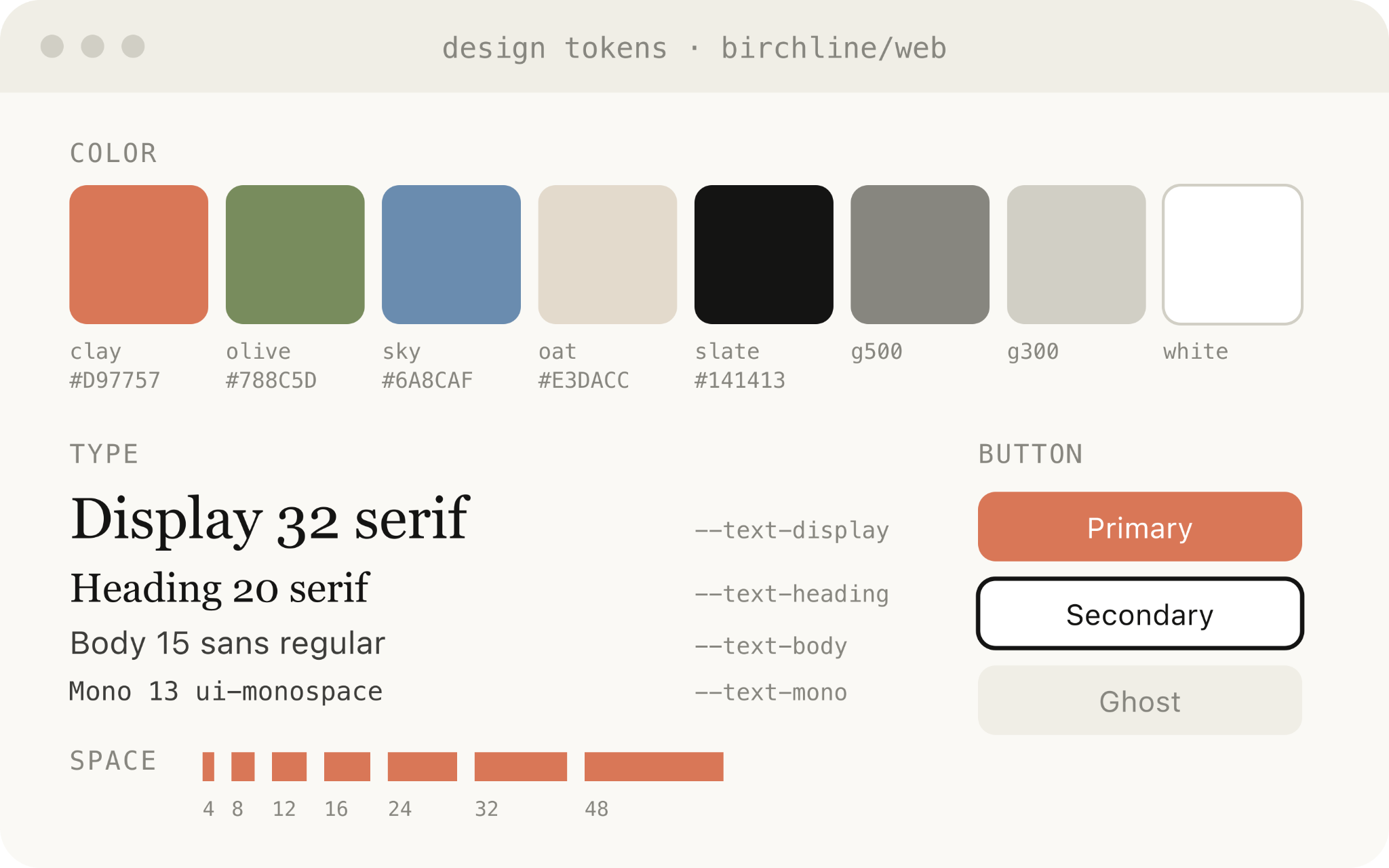
HTML can represent tabular data (tables), design data (CSS), illustrations (SVG), code snippets (<script> tags), interactions (JavaScript + CSS), workflows (SVG + HTML), spatial data (absolute positioning, canvases), and images. In Markdown, the model may resort to ASCII diagrams or approximated color swatches.
Visual clarity and ease of reading
As Claude Code tackles larger specs and plans, Markdown files over 100 lines tend to go unread. HTML documents can be organized with tabs, illustrations, links, and responsive layouts, making them far easier to navigate and actually read.
Ease of sharing
HTML files render natively in browsers, so sharing a link is straightforward. Recipients don't need special viewers; they can open the file easily in any browser and reference it directly. Browsers do not render Markdown well, so HTML raises the chance a spec, report, or PR writeup is actually read.
Two-way interactions
HTML can include interactive controls (sliders, knobs, drag-and-drop). Users can tweak parameters or reorder items in the artifact and then copy the changes back as a prompt or JSON.
Data ingestion for context-rich artifacts
Claude Code can read the codebase, MCP integrations (Slack, Linear), web browser tabs (Claude in Chrome), and git history to gather context. For example, when generating this article, the author asked Claude Code to scan his HTML files, categorize them, and produce diagrams representing each type.
Getting started
No special setup is required—simply prompt Claude Code to "make an HTML file" or "make an HTML artifact"; a simple prompt is enough. The key is knowing what you want the artifact to do. Starting from scratch across use cases is recommended to get a feel for it before building reusable skills around recurring patterns.
Use cases
Specs, planning, and exploration
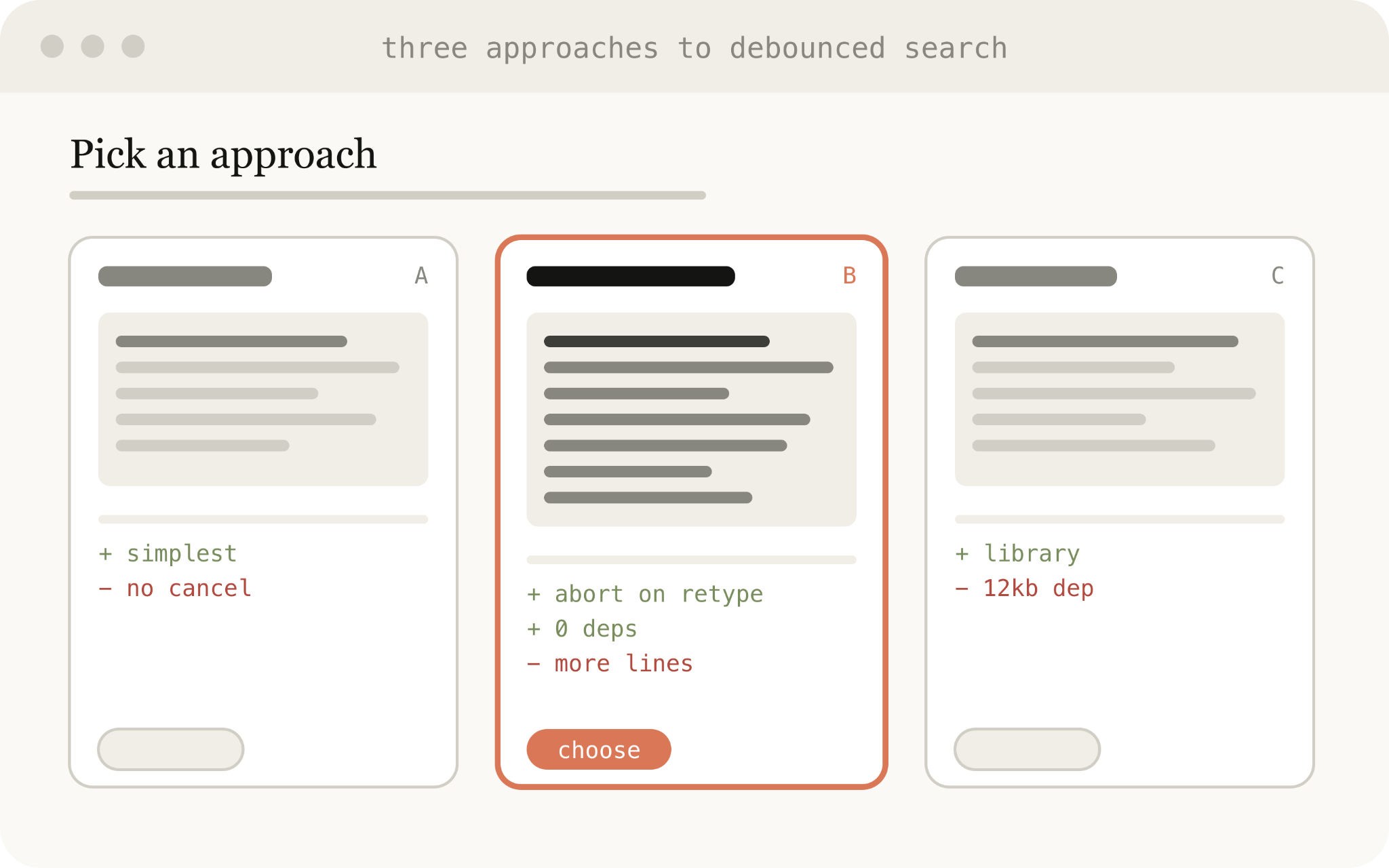
HTML is a rich canvas for brainstorming and comparing options. Rather than one Markdown plan, build a web of HTML files: ask Claude Code to explore different approaches in HTML files, expand on the best one with mockups and interface examples, then write an implementation plan. Pass these files to a new session for implementation, and have the verification agent read them for broader context.
Example prompts:
"Generate 6 distinctly different approaches for the onboarding screen in a single HTML grid, labeling each with tradeoffs."
"Create a thorough implementation plan in an HTML file with mockups, data flow, and annotated code snippets."
Code review and understanding
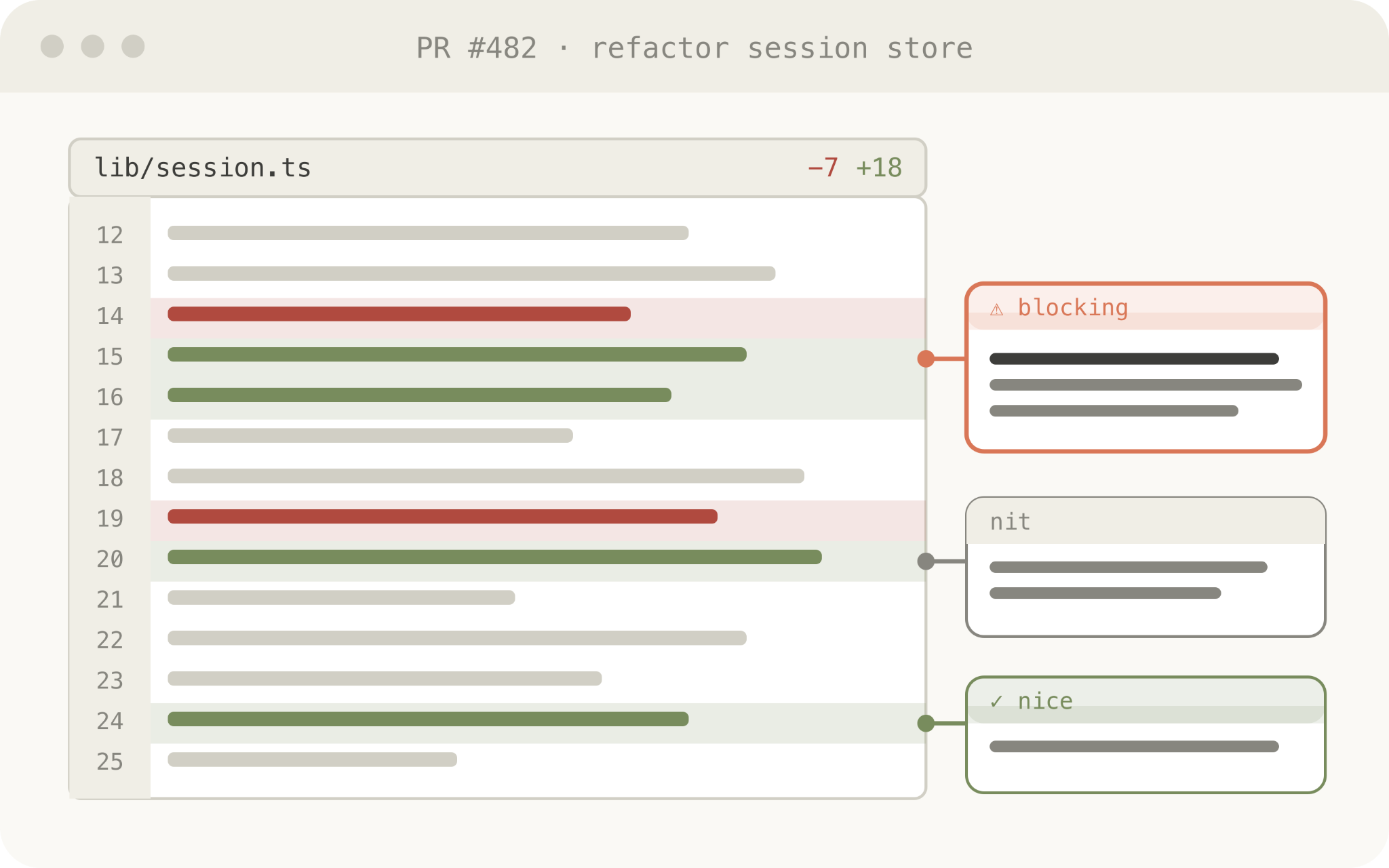
HTML can render diffs, annotations, flowcharts, and module structures, making code easier to review than in Markdown. Use for PR creation, PR review, understanding agent-written code, or understanding a codebase.
Example prompt: "Create an HTML artifact that describes this PR. Focus on the streaming/backpressure logic. Render the diff with inline margin annotations, color-code findings by severity."
Design and prototypes
HTML is expressive for design, even if the final surface is not HTML—Claude can sketch in HTML then port to React, Swift, etc. Claude can prototype interactions (animations, knobs, sliders) and tune parameters.
Example prompt: "Prototype a checkout button animation (play animation, turn purple). Create an HTML file with sliders for different animation options and a copy button to export the winning parameters."
Reports, research, and learning
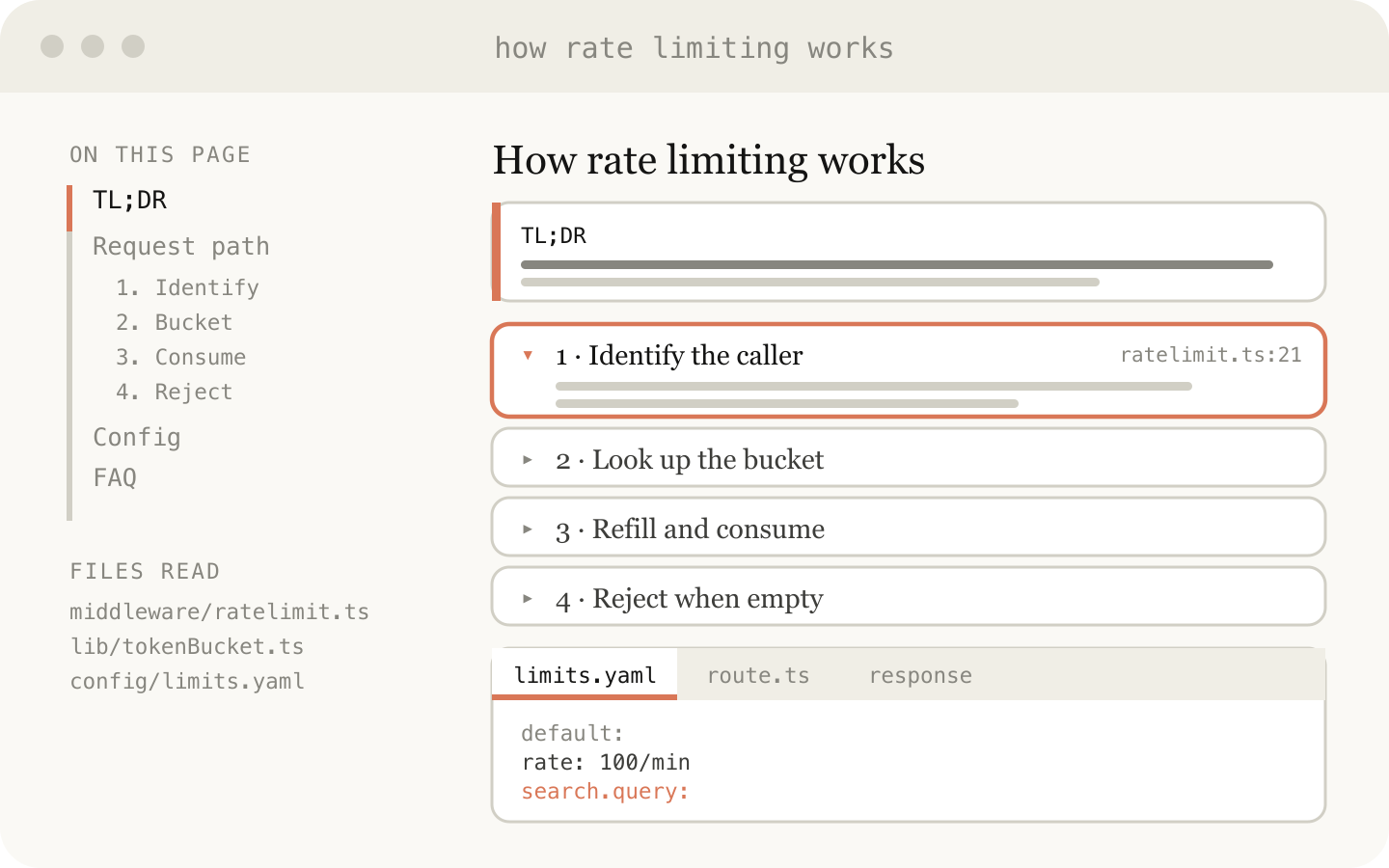
Claude Code synthesizes information from Slack, codebase, git history, or the web into HTML reports, interactive explainers, or slide decks with SVG diagrams—readable long documents optimized for a single read.
Example prompt: "Explain our rate limiter in a single HTML page: diagram of token-bucket flow, key code snippets annotated, and a gotchas section."
Custom editing interfaces
For tasks that are hard to describe purely in text, ask Claude to build a throwaway HTML editor purpose-built for the data at hand. Always include an export button ("copy as JSON" or "copy as prompt") to bring results back into the chat or a file.
Example prompts:
"Reprioritize these 30 Linear tickets. Make draggable cards across Now/Next/Later/Cut columns. Add a 'copy as Markdown' button with rationale per bucket."
"Build a form editor for our feature flag config, with dependency warnings and a 'copy diff' button."
"Make a side-by-side editor: editable prompt on left, sample inputs on right, live preview, token counter, and copy button."
The through-line: HTML turns opaque, easily-ignored handoffs into a set of readable, shareable, interactive artifacts that keep the developer in the loop as the agent takes on more.
Frequently asked questions
Isn't it less efficient? Although HTML uses more tokens than Markdown, the added expressiveness and higher readability lead to better overall output. With large context windows, the token increase is barely noticeable, so the tradeoff is accepted.
When do you use Markdown? The author reports stopping Markdown use almost entirely for AI artifact generation (a self-described "HTML maximalist").
Is this how you've replaced planning? Instead of a single plan, multiple HTML files are used for different stages (exploration, UI design, implementation plan, component lists). These files are kept as references for future sessions and verification.